Bash Scripting on Linux: From First Script to Automated Backups
An 18-part walkthrough of Bash scripting on Linux, starting with writing and running a first script and moving through variables, conditionals, loops, functions, arguments, redirection, scheduling and a backup script. Two short extras cover customizing the prompt and overriding cd. It suits Linux beginners and aspiring sysadmins who already have a terminal available.
Lessons by Learn Linux TV on YouTubeCurated by YodaHut. These lessons are hosted on YouTube and produced by their original creators, who are not affiliated with YodaHut. You still earn YodaCoins, keep your streak and track progress here.
What You'll Learn
- Write a Bash script, mark it executable with chmod, and run it
- Use variables, command output and environment variables, and do basic integer math in scripts
- Control script flow with if/else, file and command existence checks, exit codes, case statements, and while and for loops
- Separate standard output and standard error, and handle each in a script
- Organize scripts with functions and command-line arguments, and check that required arguments were supplied
- Store scripts in /usr/local/bin and add directories to PATH so they run from anywhere
- Schedule scripts with at and cron, and read a complete backup script with a dry-run option
- Customize the Bash prompt (PS1) and define shell functions such as an auto-ls cd
Prerequisites
- Access to a Linux system or VM (the examples use apt, so Debian/Ubuntu is easiest)
- Basic comfort with the terminal, such as navigating directories and running commands
- A text editor available in the terminal
Course Curriculum
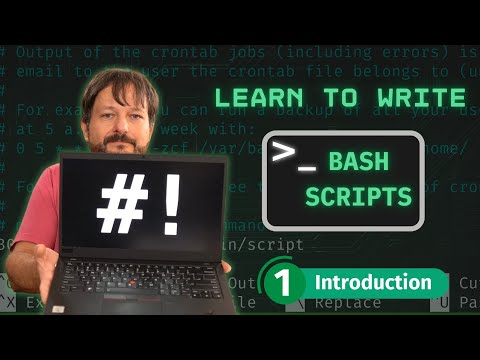
- 1Course Introduction and Setup11:10
- 2Hello World: Your First Bash Script17:24
- 3Variables24:46
- 4Basic Math6:07
- 5If Statements31:43
- 6Exit Codes27:14
- 7While Loops13:56
- 8Building a Universal Update Script18:53
- 9For Loops12:33
- 10Storing Scripts and the PATH Variable13:38
- 11Data Streams: Standard Output, Standard Error and Standard Input28:15
- 12Functions9:39
- 13Case Statements15:50
- 14Scheduling Jobs with at11:32
- 15Cron Jobs15:06
- 16Script Arguments16:25
- 17Writing a Backup Script23:39
- 18Closing and Next Steps3:52
- 19Customizing Your Bash Prompt (PS1)20:09
- 20Auto-ls with cd and an Extract Function9:26
About the Instructor
Learn Linux TV
YouTube creator
The lessons in this course were produced by Learn Linux TV and are published on YouTube. YodaHut selected and sequenced them into this course; we did not make them, and Learn Linux TV is not affiliated with YodaHut.
Visit the channel on YouTube


- 20 lessons
- 5h 31m of video
- Earns YodaCoins & streaks
- Timestamped notes
- Free — hosted on YouTube
No certificate is issued for Library courses.