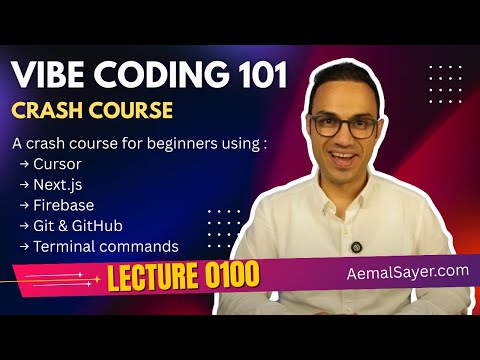
Cursor AI Editor for Beginners: Setup, Debugging, Refactoring and Documentation
A short introduction to Cursor, the VS Code-based AI code editor. It covers installation, the interface, using AI chat to generate a small Node.js app, then fixing errors, refactoring, explaining and documenting code, and workflow habits like planning, adding context and reviewing AI output. It suits beginners and developers who are new to AI-assisted coding. It does not build a full web app.
- 8 lessons
- 1h 29m total
- Development
- English
- Earns YodaCoins
Curated by YodaHut. These lessons are hosted on YouTube and produced by their original creators, who are not affiliated with YodaHut. You still earn YodaCoins, keep your streak and track progress here.
What You'll Learn
- Explain what Cursor is and how it differs from plain VS Code, GitHub Copilot and Windsurf
- Install Cursor and find your way around its interface and settings
- Prompt Cursor's AI chat to create and run a simple Node.js Hello World app
- Use AI to diagnose and fix runtime errors and to refactor a small buggy script
- Use AI to explain unfamiliar code and generate documentation, and search a codebase efficiently
- Apply habits such as planning first, adding context before asking, reviewing AI output, using Git, and organising chat tabs
Prerequisites
- Basic familiarity with programming concepts (JavaScript or Python helps)
- A computer on which you can install desktop software
- Some familiarity with VS Code is helpful but not required
Course Curriculum
8 lessons · 1h 29m- 01Course Introduction: Cursor AI Editor for Beginners7:38
- 02What Is Cursor? The AI-Powered Code Editor12:47
- 03Installing Cursor and Exploring the Interface9:59
- 04Building Your First App with Cursor: Node.js Hello World15:46
- 05Debugging, Refactoring and Searching Code with Cursor AI12:13
- 06Understanding and Documenting Code with Cursor AI15:14
- 07Tips and Tricks for Working with Cursor AI13:04
- 08Course Wrap-Up and Next Steps2:33
About the Instructor
CTO Bhaiya
YouTube creator
The lessons in this course were produced by CTO Bhaiya and are published on YouTube. YodaHut selected and sequenced them into this course; we did not make them, and CTO Bhaiya is not affiliated with YodaHut.
Visit the channel on YouTubeMore in the Library: Development

Python y Django desde cero: sistema de facturación completo

Django desde cero: plantillas, modelos, formularios y panel de administración

Django desde cero: del primer proyecto a vistas basadas en clases y APIs con JWT

AI-Assisted Coding with GitHub Copilot in VS Code

GitHub Copilot for Beginners: AI-Assisted Coding from Setup to Full-Stack App