
Raspberry Pi 4 Home Server with OpenMediaVault, Docker and Portainer
A hands-on series that builds a self-hosted home server on a Raspberry Pi 4. It starts with hardware and OpenMediaVault, then adds Docker and Portainer. After that come self-hosted apps such as Nextcloud, Bitwarden, Pi-hole, Plex and WordPress, which are exposed to the internet through NGINX Proxy Manager and Cloudflare. It suits hobbyists comfortable following step-by-step setup guides. It does not cover GPIO or general Linux fundamentals.
- 20 lessons
- 4h 34m total
- IT & Software
- English
- Earns YodaCoins
Curated by YodaHut. These lessons are hosted on YouTube and produced by their original creators, who are not affiliated with YodaHut. You still earn YodaCoins, keep your streak and track progress here.
What You'll Learn
- Install OpenMediaVault on a Raspberry Pi 4 and configure its network, users, disks, shared folders and plugins
- Install Docker and Portainer and deploy applications from stack definitions
- Back up the server with Duplicati, including remote backups to Google Drive
- Publish self-hosted services securely using NGINX Proxy Manager and Cloudflare with dynamic DNS updates
- Deploy apps such as Nextcloud, Bitwarden, Pi-hole, AdGuard Home, Plex, WordPress and Transmission with a VPN
- Give containers their own LAN IP with MacVLAN, keep them updated with Watchtower, monitor them with Grafana and Prometheus, and recover a locked-out OpenMediaVault with omv-firstaid
Prerequisites
- A Raspberry Pi 4 (8GB recommended), storage and a network connection
- Basic comfort with home networking concepts such as IP addresses and port forwarding
- A domain name on Cloudflare for the remote-access episodes
Course Curriculum
20 lessons · 4h 34m- 01Hardware: Raspberry Pi 4 8GB, Argon One M.2 Case and SSD8:54
- 02Installing OpenMediaVault on a Raspberry Pi10:22
- 03Base Setup: OpenMediaVault, Docker, Portainer and Overclocking18:55
- 04Server Backups with Duplicati and Google Drive14:11
- 05Remote Access with NGINX Proxy Manager10:23
- 06Cloudflare DDNS: Keeping Your Dynamic IP Updated6:07
- 07Nextcloud with Remote Access16:38
- 08Bitwarden: Self-Hosted Password Manager with Remote Access14:19
- 09Pi-hole: Network-Wide DNS Ad Blocking12:15
- 10Watchtower: Automatic Docker Container Updates14:11
- 11Setting Up MacVLAN in Portainer13:47
- 12AdGuard Home with MacVLAN17:57
- 13Transmission with a VPN11:33
- 14OpenMediaVault Remote Mounts15:37
- 15Heimdall Application Dashboard13:42
- 16Installing Plex in Docker15:34
- 17OpenMediaVault Recovery with omv-firstaid13:12
- 18Installing WordPress in Docker14:57
- 19Docker Dashboard with Grafana, Prometheus and Node Exporter14:59
- 20XBackBone File Sharing and Management in Docker16:43
About the Instructor
DB Tech
YouTube creator
The lessons in this course were produced by DB Tech and are published on YouTube. YodaHut selected and sequenced them into this course; we did not make them, and DB Tech is not affiliated with YodaHut.
Visit the channel on YouTubeMore in the Library: IT & Software

Build a Custom PowerPoint Template from Scratch: Cover, Agenda, About Us, Timeline and Process Slides

Build a Pitch Deck Template in PowerPoint, Slide by Slide

Raspberry Pi 5 for Beginners: Headless Setup, GPIO Circuits and Flask Web Control
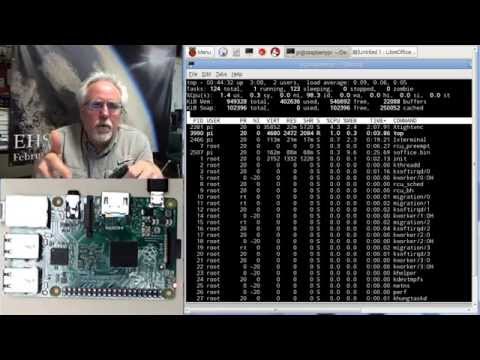
Raspberry Pi and the Linux Command Line: Setup, GPIO and Python Projects

Raspberry Pi for Beginners: Linux, Python, GPIO Electronics and Camera Projects
