
Raspberry Pi 5 for Beginners: Headless Setup, GPIO Circuits and Flask Web Control
A hands-on introduction to the Raspberry Pi 5, from flashing Raspberry Pi OS and connecting over SSH and VNC without a monitor, to building LED and push-button circuits on a breadboard. You then control them with Python (gpiozero) and from a web page using Flask. Suits complete beginners who have a Pi 5 and a few basic components.
- 15 lessons
- 2h 47m total
- IT & Software
- English
- Earns YodaCoins
Curated by YodaHut. These lessons are hosted on YouTube and produced by their original creators, who are not affiliated with YodaHut. You still earn YodaCoins, keep your streak and track progress here.
What You'll Learn
- Flash Raspberry Pi OS to an SD card, find the Pi's IP address and set it up headless over SSH and VNC
- Shut down and restart the Pi properly and complete the first-time configuration
- Read a resistor color code, use a breadboard and wire an LED and push button safely to the GPIO pins
- Explain GPIO modes, states and pin numbering
- Write Python with gpiozero to blink LEDs, read a button, use callbacks and debounce input
- Build a Flask web server on the Pi and use it to switch chosen LEDs from a browser
Prerequisites
- No prior experience needed
- A Raspberry Pi 5 with power supply and microSD card, plus a Wi-Fi network
- Breadboard, LEDs, resistors, push button and jumper wires
- Basic familiarity with Python helps for the coding lessons but is not essential
Course Curriculum
15 lessons · 2h 47m- 01What Is a Raspberry Pi?5:46
- 02Install Raspberry Pi OS Without a Monitor (Part 1): Flashing, SSH and IP Address23:03
- 03Install Raspberry Pi OS Without a Monitor (Part 2): VNC and Final Configuration18:27
- 04Breadboard Basics and the Resistor Color Code10:22
- 05Build a Circuit with an LED and a Resistor12:42
- 06How GPIOs Work4:09
- 07Make an LED Blink with Python9:06
- 08Add a Push Button to the Circuit8:43
- 09Detect a Button Press with Python4:21
- 10Challenge 1: Power an LED with a Button13:05
- 11Add Two More LEDs to the Circuit5:47
- 12Challenge 2: Toggle Between LEDs with a Button17:02
- 13Create a Web Server with Flask9:39
- 14Control GPIOs from the Web with Flask7:11
- 15Challenge 3: Choose Which LED to Turn On with Flask17:34
About the Instructor
Robotics Back-End
YouTube creator
The lessons in this course were produced by Robotics Back-End and are published on YouTube. YodaHut selected and sequenced them into this course; we did not make them, and Robotics Back-End is not affiliated with YodaHut.
Visit the channel on YouTubeMore in the Library: IT & Software

Build a Custom PowerPoint Template from Scratch: Cover, Agenda, About Us, Timeline and Process Slides

Build a Pitch Deck Template in PowerPoint, Slide by Slide

Raspberry Pi 4 Home Server with OpenMediaVault, Docker and Portainer
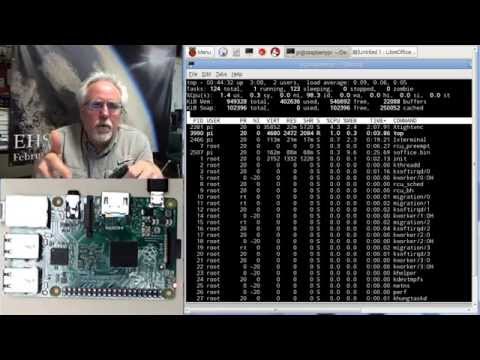
Raspberry Pi and the Linux Command Line: Setup, GPIO and Python Projects

Raspberry Pi for Beginners: Linux, Python, GPIO Electronics and Camera Projects
